KDE-ing My Experience With Debian
27-08-2025
Flexibility can be a curse in disguise
When we frequently change things without a clear purpose, our thoughts become rigid rather than free. This was the lesson I learned after spending countless hours of trying to rice a perfect system. I never paused to ask if I even need a tool or workflow or theme or application or... And so, to the reader - beware of the trap that comes from the freedom to change. GNU/Linux Distros and their Desktop Environments are great tools (Creatively and Productively), if they don't cost you your cognition.
Prelude
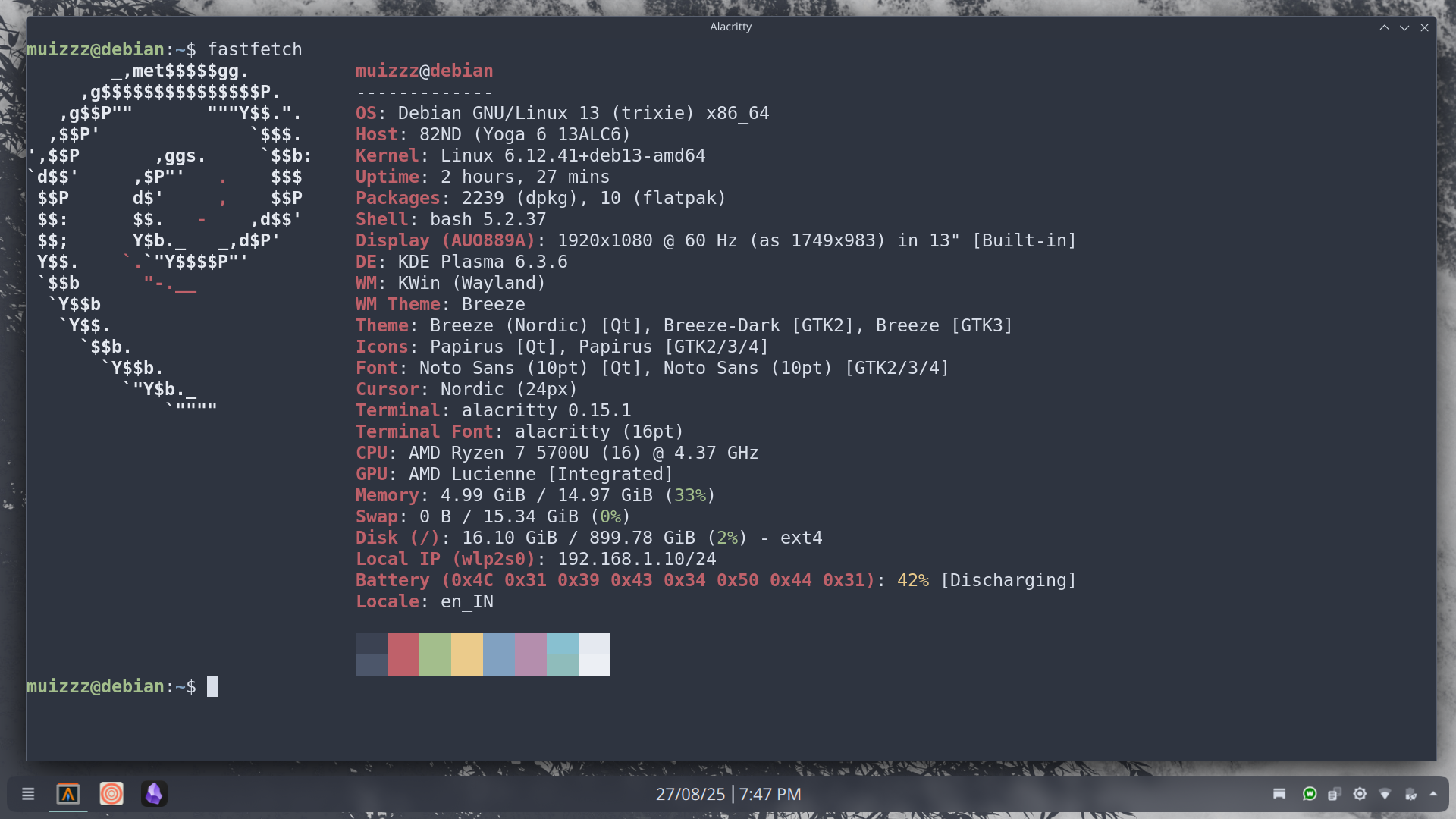
Realising this mistake, I decided to take things as they come. Rice/Change my workstation as I need. To move away from the mess that I had created, I decided to do a fresh install and remove all the bloat that had piled up. So, I booted up with a fresh Debian 13 (Trixie) install with KDE Plasma. I will keep things minimal this time. I won't be distracted by shiny looking rices (although they are great), or by some GNU/Linux Guru with half baked opinions. That's my pledge.
Why Debian?
I don't need rapidly updated packages, I simply don't have a use-case. Stability is a great factor for me, I want my workstation to move out the trivial things and let me focus on things that matter. Also, it's not loaded up with packages I would never use. it is lightweight and minimal. I believe that additional packages should be managed by your desktop environment as it needs. That's what Debian does. It's rock solid, just works, it's minimal, has what I need and gets work done.
Why Plasma?
The choice of Plasma as my DE sounds contradicting given I want to move away from bloat and given that it is a cutting edge environment that can be messy sometimes. Here's the deal, it has all the bloat that I use. It installs the Libre Office Suite which I use. It installs GIMP. It installs all other utilities that I use. Except some that I don't end up using, I am okay with them lying around. Also, it's not as rigid as other environments like Gnome and yet not as breakable as something like XFCE. As for the messy part, Debian takes care of it by using packages that are tested just enough. That's all. It works as intended, as I want.
Ricing For Creativity
Aesthetics do matter. A workstation that looks good, feels good. That makes it easy for me to put in more hours without getting an eyesore. So how do I do it?
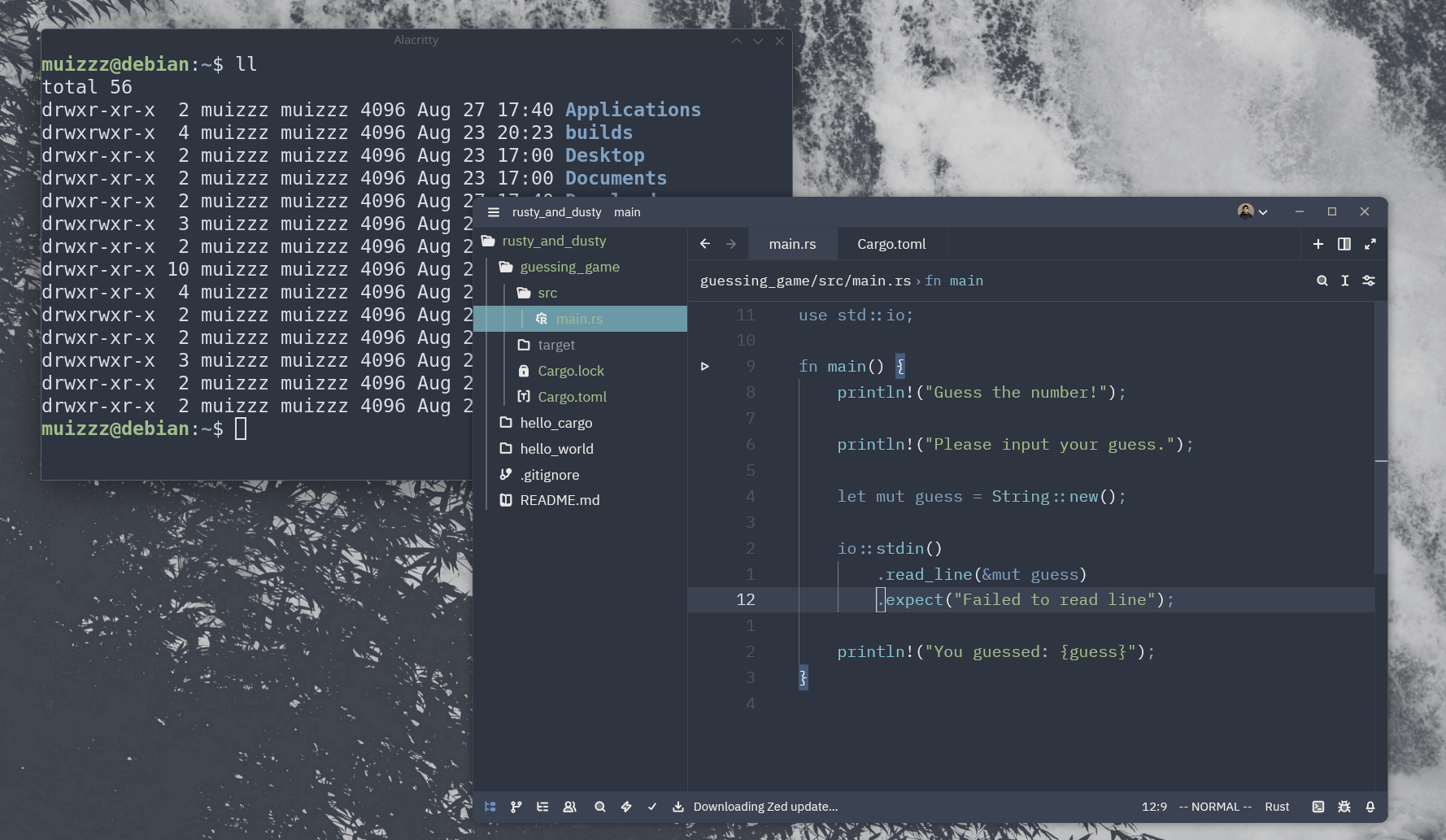
To start with, Dark Colours are the way. I use Nord Theming for everything except the window buttons (And for some apps like obsidian that just feel better off). It is pleasing and doesn't demand much attention from the eye. Just as an addition, I keep the title-bar styling to breeze defaults as it is better paired with what I use. I like to keep animations to the minimum. Snappy behaviour is a good way to enhance the feel of your workstation. That's pretty much it! I leave the panel to the defaults, just some here and there for better looks overall. Lastly, a nice wallpaper to put it all together. The results? A Workspace that looks clean and feels great!
Ricing for Productivity
Personally, this is the fun part as I don't have to worry about what I want, I just instinctively know what I require. Let's start. Alacritty as the default terminal, ditching the weird konsole. Easy to install, clean, minimal, fast and gets it done. Zen as my primary browser. I don't use many hacks for my browsing experience (yet). Zed with Neovim defaults as my text editor. I've been loving the experience with Zed so far, it offers a neat set of features built-in that are really handy (in love with multi cursor edits and cross buffer editing). Plus, it supporting vim defaults is really handy.
I am not using any other plasma specific hacks apart from virtual desktops and shortcuts:
meta + Q - Closing an active window
meta + F - Maximises the current window
meta + 1 - Launches Alacritty and navigates to it
meta + 2 - Launches Zen and navigates to it
meta - Opens Andromeda Launcher
That's all that I am using for now, trying to adhere to my vow of sorts. Apart from that, I will keep this blog updated with all the changes as they come!